Claude Code is filling your Mac: what is safe to remove — and what is working memory
The .claude directory is not one giant cache. It mixes resumable sessions, project state, memory, settings, plugins, logs and a few exact rebuildable leaves.
Do not delete ~/.claude as a cleanup shortcut. Claude Code can resume past work, load settings and memory, and keep project-specific state. Treat the root as working memory. Only exact leaves that you have verified as rebuildable — such as a dedicated cache or debug-log directory — should become cleanup candidates, and they should go to the macOS Trash rather than being permanently erased.
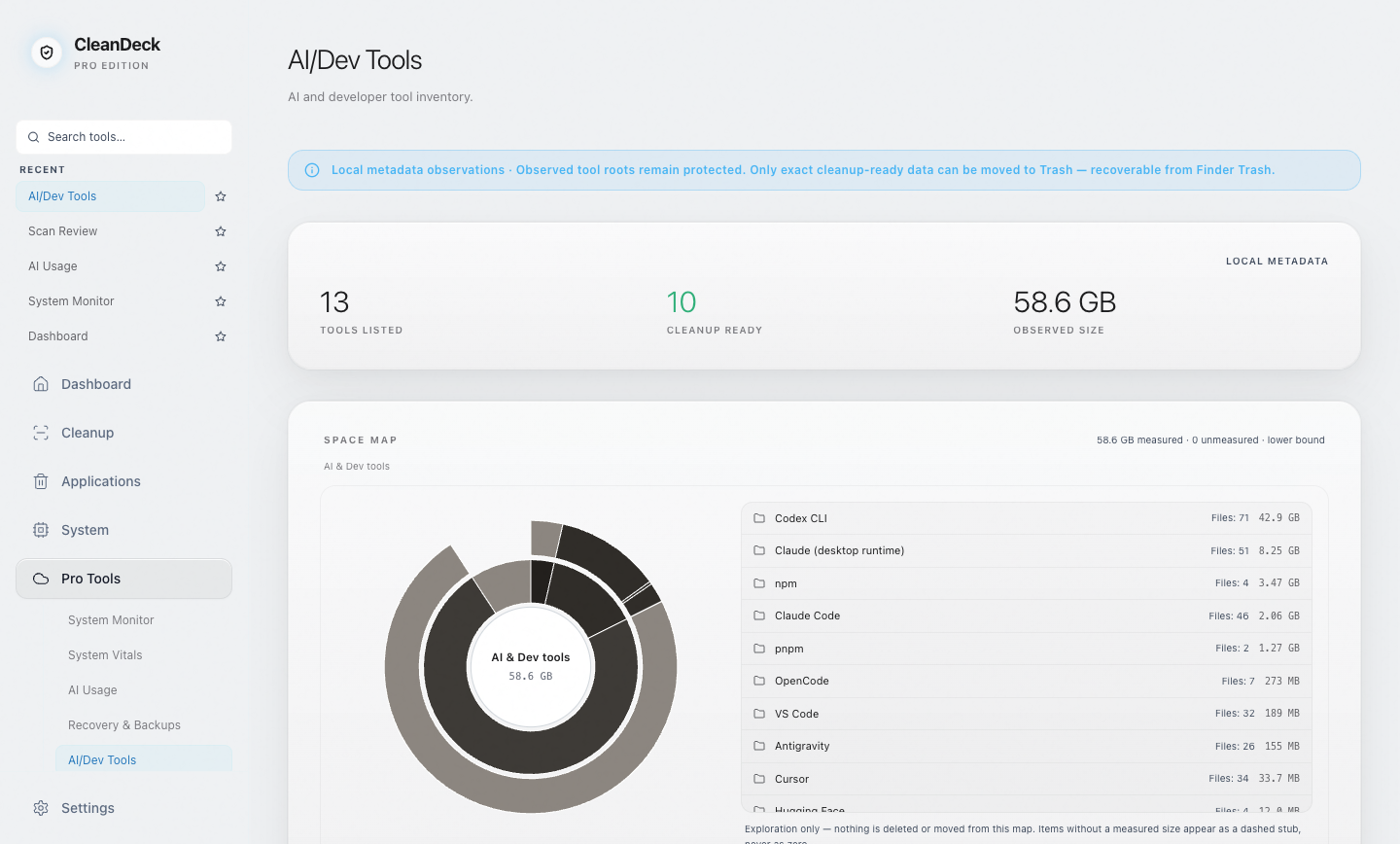
The path is the product state
Claude Code's CLI supports continuing or resuming earlier conversations. Anthropic also documents user, project and local settings with explicit precedence. Those capabilities are the reason a session tree or settings file cannot be inferred to be junk from size alone.
On macOS, Anthropic documents credential storage in Keychain. A cleaner should never treat an authentication store, key, database or certificate as a cache just because it lives near other tool data.
| Path or family | State | Reason |
|---|---|---|
| ~/.claude/settings.json | Protected | User configuration, not a cache. |
| ~/.claude/settings.local.json | Protected | Local overrides can change tool behavior. |
| ~/.claude/projects | Protected | Project and session working state. |
| ~/.claude/history.jsonl | Protected | Conversation history used for continuity. |
| ~/.claude/memory | Protected | Persisted working memory. |
| ~/.claude/plugins and ~/.claude/skills | Protected | Installed capabilities and user configuration. |
| ~/.claude/logs | Review | Diagnostic context may still be useful or active. |
| ~/.claude/debug | Ready | Exact rebuildable debug-log leaf in CleanDeck's current registry; still rechecked before action. |
| ~/.cache/claude-code | Ready | Dedicated cache leaf, not the Claude state root. |
Desktop Claude adds another storage family
Claude's desktop runtime can also keep data under ~/Library/Application Support/Claude. VM bundles, local-agent sessions, code caches and GPU caches do not all have the same meaning. A VM image may be rebuildable but expensive to download again; a local-agent session may be irreplaceable working state.
That is why CleanDeck does not label the parent directory as removable. It inventories named children, preserves roots, and keeps ambiguous runtime data in Review. The ordinary Dashboard also excludes AI/developer-owned leaves so the same path cannot appear in two cleanup authorities.
A practical decision order
First identify the exact tool and exact leaf. Then check whether the tool is running, whether the path is readable, whether the data can be rebuilt, and whether a resume or recovery workflow references it. A recent modification is evidence of activity, not evidence of waste.
- Protected: sessions, memory, settings, plugins, skills, models, databases, keys and unknown roots.
- Review: logs, runtime bundles, recent artifacts and anything whose rebuild cost or liveness is unclear.
- Ready for Trash: only an exact, known rebuildable leaf after the current plan is reverified.
- Trash-first: recoverable until you choose to empty the Trash; moving alone does not free disk space.
What not to conclude from a large number
A large folder is not necessarily the best cleanup target. A 10 GB model or VM may take hours or bandwidth to restore, while a smaller stale cache can be removed with almost no workflow cost. Storage cleanup is a classification problem before it is a deletion problem.
CleanDeck's role is to expose that distinction. It does not claim that every Claude Code layout is known forever, and it does not turn broader recognition into broader file authority.
Sources and evidence
- Anthropic — Manage Claude Code sessions
Documents locally stored sessions and continue/resume behavior, which makes session state operational rather than disposable by default.
- Anthropic — How Claude Code remembers a project
Documents CLAUDE.md and auto-memory storage, loading and lifecycle semantics.
- Anthropic — Claude Code settings
Documents the layered user, project and local settings contract.
- CleanDeck 1.0 AI/developer registry
Current product source separates protected state, review-only runtime data and an exact allowlist of rebuildable candidate leaves.
CleanDeck